Yes, a locally installed Open Dental needs one computer acting as the server: the machine that runs the MySQL or MariaDB database and stores the shared files the other computers open. In a small Charlotte office that can be a workstation set aside for the job; a larger office usually runs Windows Server. Open Dental's hosted cloud service is the one setup without an office server, and it is offered on limited terms.
Last updated: November 2026
What the server actually does in Open Dental
Open Dental describes the server as the computer that runs the database program and stores the files and the database. Every other computer in the office, from the front desk to the chairside machine, reads and writes to it over the network. If the server is off, nobody can open a chart.
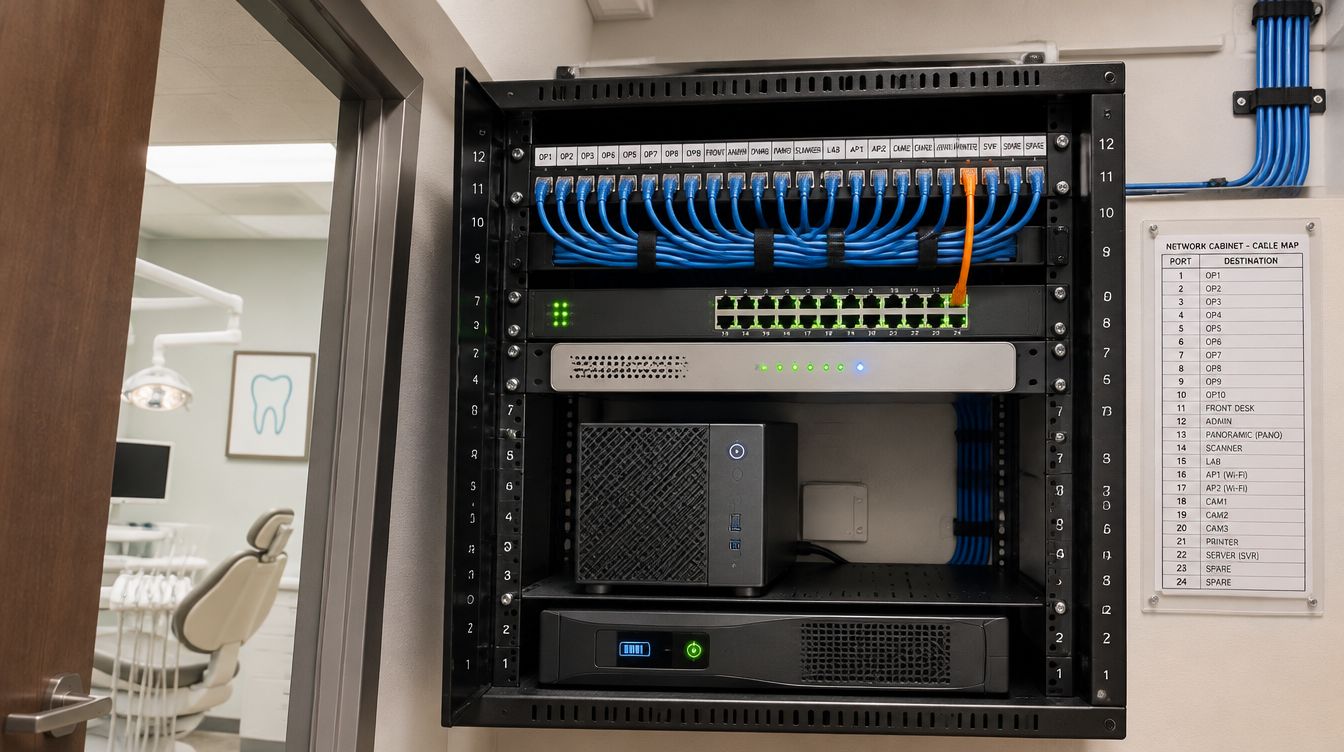
That is why the server is planned at design, alongside the closet and the cabling. Its place on the network, its battery, its backup and its cooling all follow from the decision, and a server picked on install day tends to end up under the front desk.
Workstation as server, or a real server?
Open Dental's own network guidance splits offices at ten computers.
| Office size | What Open Dental describes | What the buildout plans for |
|---|---|---|
| 10 computers or fewer | One workstation is usually designated as the server, ideally not used for daily work | A dedicated machine in the closet, not a front-desk computer doing double duty |
| More than 10 computers | A Windows Server operating system with an active domain and security policies | Windows Server sized to the operatory count, with room for the next few chairs |
Open Dental recommends having a dedicated server to protect data. In practice that is the line that matters most: a server that someone also uses for email and web browsing is the one most likely to catch something.
Open Dental hardware requirements worth planning around
The vendor's requirements page is short, and a few lines on it shape the buildout more than the rest.
- Memory. The page lists 8 GB as optimum on Windows 11 workstations and notes that the database computer may need more.
- Storage. A typical server install needs 1 to 2 GB plus the database and the A to Z images folder. SSD or NVMe drives are recommended, not required.
- A battery. An uninterruptible power supply is listed as optional but recommended, to prevent data loss on the database computer.
- The name. Open Dental recommends a server name under 15 characters because of a Windows limit.
- Virtual machines. Open Dental can run on a Windows virtual server, though other services on the same hardware can slow it.
The images folder is the part that grows. North Carolina's dental rule counts those images as part of the record: 21 NCAC 16T .0101 lists the diagnostic radiographs, orthodontic study models, and other diagnostic aids, if taken, among what a treatment record must include. A server sized for the database alone runs out of room within a few years of X-rays.
How long the server's data has to last
The server outlives few leases, but the records on it outlive most servers. The State Board of Dental Examiners rule 21 NCAC 16T .0101 says a dentist shall maintain treatment records on all patients for a period of 10 years from the last treatment date. So the backup plan is written against that horizon, not against the size of a drive.
Open Dental's backup guidance calls for at least daily backups, old copies kept as well as recent ones, and restores tested on a computer that is not connected to the office network. It also says RAID is not a backup. The buildout sets this up before opening day: a nightly backup, an encrypted copy stored outside the building, and one full restore done at handover to prove the copy works.
Retiring the old server
A practice moving into a new Charlotte office often brings a server that is near the end of its life. The data moves to the new machine; the old drives do not just go in a box. G.S. 75-64 lists policies that require the destruction or erasure of electronic media and other nonpaper media containing personal information among the reasonable measures it sets out. The old drives are erased or destroyed, and the method and date are recorded with the handover file.
What about Open Dental Cloud?
Open Dental describes its cloud as a hosted solution it manages, available only to US customers and currently in limited release, with some limits on third-party interoperability. For a practice that qualifies, the closet gets smaller: a firewall, a switch, access points and the workstations, with no database server to keep. For one that does not, or that runs imaging tools the cloud does not support, the local server stays. Asking Open Dental early keeps the closet design from changing at the last minute.
Open Dental server questions from Charlotte practices
Can the server sit at the front desk?
It can, and it should not. A locked, ventilated closet protects it from spills, curious hands and heat.
Does a second office need its own server?
Only if it keeps its own database. Offices that share one database connect back to the first server instead.
Who installs Open Dental itself?
ClearMax technicians prepare the server and workstations to the vendor's requirements and set up the network share. Licensing and support for the program stay with Open Dental Software.